Create Storage Pool - APP
A storage pool is a collection of one or more hard drives that can be protected using RAID. Different types of RAID offer varying levels of data protection. If you’re unsure how to choose, you can review the RAID documentation to learn more about recommended RAID types; see “What Is RAID?” for more information. If you’d like to learn more about the relationship between hard drives and storage pools, see “The Relationship Between Hard Drives and Storage Pools.”
Create Storage Pool
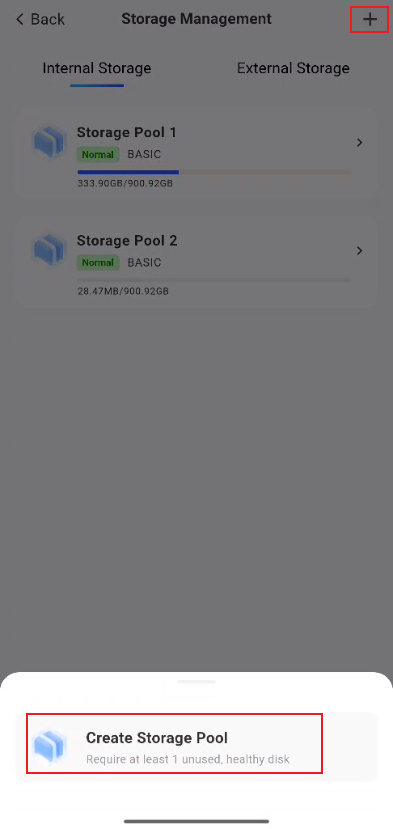
To create a storage pool, you need at least one unused hard drive that is in good health.
-
Go to the "Storage Management" page: Click [System Settings -> Storage Management]
-
Go to the "Create Storage Pool" page, then click [+ -> Create Storage Pool]
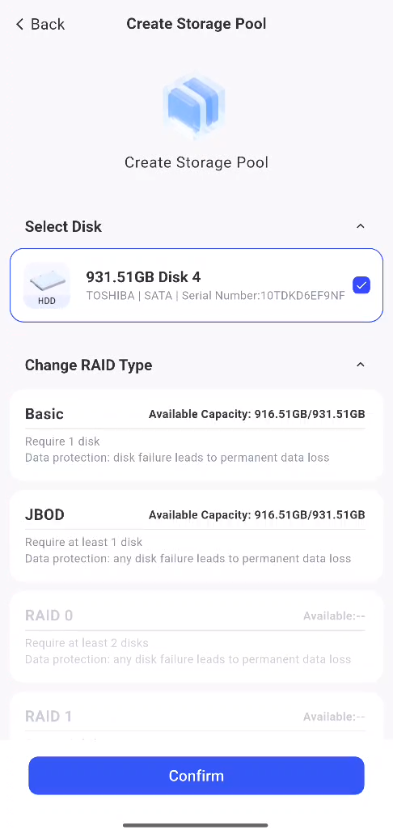
- After selecting a hard drive, the system will automatically display the available RAID types based on the selected disk data. Then, select a RAID type;
-
Next, scroll down the screen to find the “Disk Check” feature. To minimize the risk of unexpected issues during future use, we recommend enabling the “Hard Drive Check” feature;
-
After confirming that the settings are correct, click “Confirm” to proceed to the file system selection page. For more information on file systems, refer to “How to Choose a File System for TieNiu NAS”;
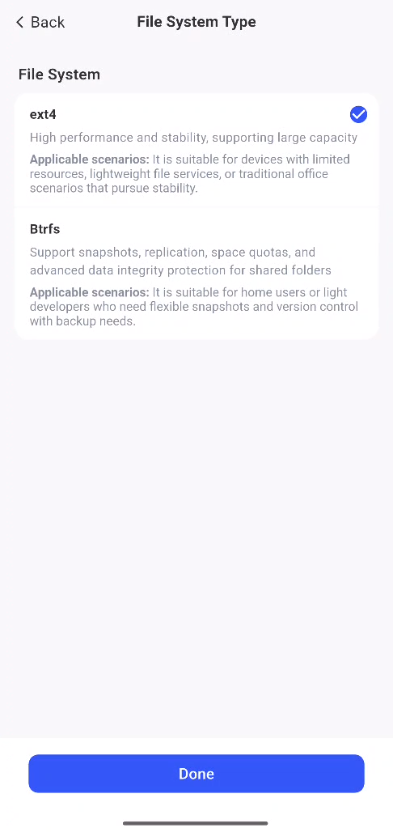
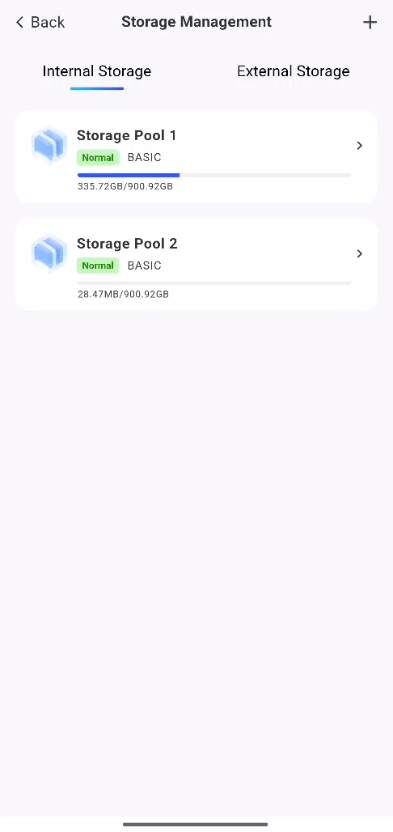
- After verifying that the settings are correct, click "Confirm" to create the storage pool.
Storage Pool Capacity Alert
-
Go to the "Storage Management" page: Click [System Settings -> Storage Management].
-
In the storage pool list, select the storage pool you want to manage.
- On the storage pool details page that appears, click “...” in the upper-right corner, then click “Settings.”
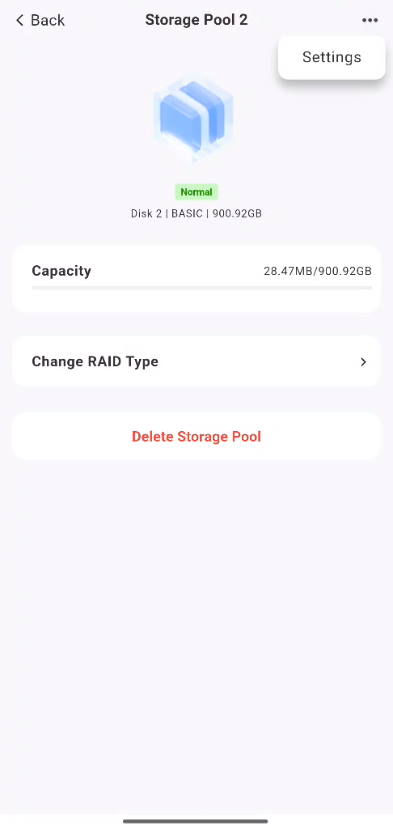
- Next, click “Low Storage Alert,” adjust the percentage, and then click “OK” to complete the setup.
⚠️Important Notice
-
**Data Backup: **Creating a storage pool will format the selected hard drives, resulting in the loss of all data. Be sure to back up important files in advance.
-
**Do Not Interrupt the Creation Process: **Do not disconnect power or force a restart while the storage pool is being created, as this may result in data corruption.
-
Capacity Alerts: We recommend enabling storage pool low-capacity alerts to prevent normal use from being affected when space runs out.