Set Time Zone and Time Synchronization - PC
Currently, only one time point is supported for the scheduled shutdown task, and the recurring execution cycle is also calculated based on the day of the week.
Set time zone and time synchronization
- Enter the settings interface: Click [System Settings -> Time Zone], locate the **Set Time Zone and Time Synchronization **function and click on it
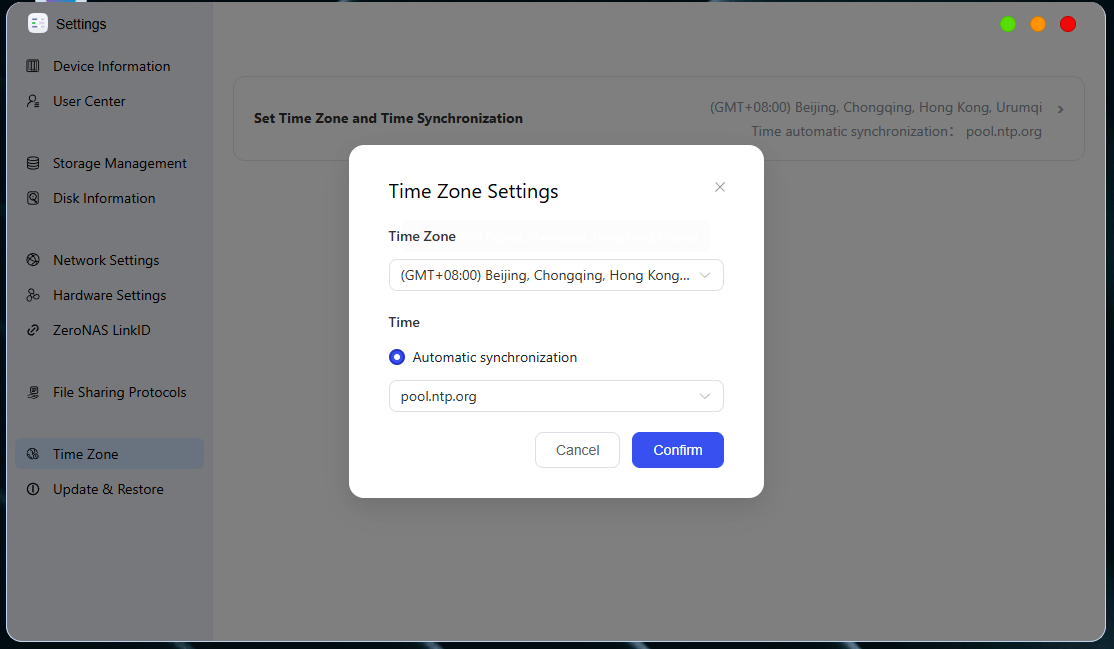
- Set Time Zone:
Select your local time zone from the "Time Zone" drop-down list
- Setting Time:
-
Automatic Synchronization: When an external network is available, the clock will be synchronized periodically.
-
Manual Setting